Google

05 April 2018

Office 365 from Scratch Updated and Expanded

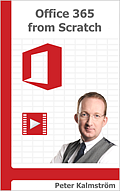
Office 365 from Scratch coverMy book Office 365 from Scratch is now published in a second version. During the year this paperback and e-book has been for sale on Amazon, Microsoft has made many important changes to their online platform. An update was necessary, and in the process I have also added 60 pages with more detailed information.

Purpose
Office 365 has become a huge topic, and everything cannot be covered even in an expanded version of my book. For one of the included parts, SharePoint, I have published a book of its own, SharePoint Online from Scratch, and I could do the same with Power BI, PowerApps and several other services that come with an Office 365 subscription. Maybe I will!

My aim with Office 365 from Scratch is instead to help decision makers and administrators to learn what possibilities the platform gives, to introduce the different parts of Office 365 and specify the right words for the features in apps and services.

Office 365 Sway iconWith such basic knowledge, you will know what things are called and which features are interesting to your organization, so that you can continue your exploration online if needed.

Another goal with Office 365 from Scratch is to describe how different Office 365 apps and services build on or enhance each other. SharePoint is for example used in Office 365 Groups, which in turn is heavily used in Planner, Teams and Stream.

Office 365 Teams icon Online complements
In some cases the book gives links to Microsoft information, but most frequent in the book are the links to my own articles with video demonstrations on kalmstrom.com. I hope these articles will enhance the information in the book.

The articles have been updated as much as my time has allowed it, but I have made the book a priority. All text and all screenshots in Office 365 from Scratch are valid for the latest version of Office 365, and sometimes I also mention Microsoft's future plans for the apps I describe.
Office 365 Sway icon
When I first published Office 365 from Scratch, Teams was just in preview and Video and Sway was very recently launched. Now, one year later, Microsoft has improved Teams and Sway considerably – and decided to withdraw Video!

Microsoft Office 365 Video A new service, Stream, will replace Video, so the Video chapter in my book has of course been replaced with a chapter about Stream. The Teams and Sway articles and demos on kalmstrom.com have been updated, and there is a short Stream article. I will create a Stream demo as soon as possible.
Office 365 Forms icon
Microsoft Forms is another new service, which did not exist at all when I wrote the first edition of Office 365 from Scratch. Now Forms has its own chapter in the book, where I describe how you easily can create and distribute surveys and quizzes and study the results of them.

Thanks to my colleagues
With all work, designing custom solutions as well as updated features in the kalmstrom.com standard products, I would not have had time to update Office 365 from Scratch by myself. My mother Kate has made considerable contributions, and Rituka and Dipti have proof-read everything and given important comments on both language and content.

SharePoint iconThese three did also assist me in the recent update of SharePoint Online from Scratch, so even if I am the author and responsible for all content, my books have been written as a team work. Now we will take on new challenges!

By Peter Kalmström
CEO and Systems Designer
kalmstrom.com Business Solutions

12 March 2018

High Fashion Engagement for kalmstrom.com Manager

The kalmstrom.com team congratulates General Manager, Rituka Rimza, who recently was engaged to Nicky Karamchandani. The engagement, in Hindi called ‘Sagai’ or ‘Mangani’, is one of the pre-wedding rituals in India, where two people exchange rings and formally accept each other in front of family and friends. Below is the happily engaged couple.
RitukaNicky
The engagement was held one day before Rituka’s birthday, so there was another celebration at night after 12am.

The beautiful story begun when these two soul mates met through one of their mutual friends. They shared a good bonding, so the initial few days of friendship were quite enough for them to decide that they could move ahead and turn their friendship into a relationship. After a few meetings with the families, the two were a couple.

Nicky is a professional Fashion Designer, and Rituka is a fashion freak. Isn’t that a perfect combination? 😉 A faithful companion, good understanding and a reliable relationship – what else can anybody need to spend a life in beauty?

RitukaNicky This engagement was one of the most special events in the Rimza family, as Rituka is the youngest and the only sister to her two brothers, Jayant & Vijayant, and now will be married soon. The engagement party was organized at Hotel Bee Town in Indore, where friends and families gathered to celebrate the auspicious occasion. After the ring ceremony, Rituka and Nicky cut the engagement cake. Both the families exchanged gifts, best wishes and blessed the beautiful couple.

The kalmstrom.com team congratulates Rituka and Nicky and wishes them the best of luck for the future.

I hope to be back here in the future with the most exciting stuff from their wedding. Stay tuned!

Dipti Francis
Executive Assistant
kalmstrom.com Business Solutions

21 February 2018

Fifth Edition Of "SharePoint Online From Scratch" Released

SharePoint Online from Scratch cover SharePoint Online develops very fast, and to keep up with Microsoft I have to update my book SharePoint Online from Scratch often. The book is intended for administrators who are new to SharePoint, so it is important that the book describes what they actually see on the screen!

Book and e-book in five editions
The first SharePoint Online from Scratch e-book was published on Amazon in March 2016. The first paperback edition came a month later, and after that there have been several updates. The new edition, published last week, is number 5 already!

Modern interface
Most of the latest update concerns the SharePoint modern interface, which is developing very fast. As Microsoft has promised to keep both the classic and the modern interface side by side, it has been important to me to show the differences and explain when each interface is to prefer.

Manual with progression
Microsoft has a lot of SharePoint instructions online, but they have no real course or manual with a progression. That makes it difficult for beginners, because how can you search for something when you don't even know that it exists? You have to know the possibilities and what things are called, before you can start looking for more information online.

That is where my book comes in. By explaining how SharePoint Online works and how everything is connected, I can give a good base for further exploration online. I also give examples on how you can use your knowledge to enhance typical business process, something that I hope will encourage readers to creative thinking when it comes to their own organizations.

Video tutorials
Variation is important in all learning, and to explain things in a different way I have added links to my own articles with video demonstrations in SharePoint Online from Scratch. I believe this combination of textbook and video is a good way to explain things.

SharePoint Online from Scratch is used in IT training courses, together with the articles. This combination, book + demos + teacher explanations, sounds perfect to me and will surely produce more SharePoint nerds like me!

Practical use
SharePoint Online from Scratch focuses on no-code, hands-on instructions and explanations on how to practically make use of a SharePoint tenant for collaboration within an organization.

But even if I have this practical approach, I also want SharePoint Online from Scratch to give a real understanding of why things are done the way they are. If you have that understanding, it will be easy to figure out how new SharePoint versions work.

E-book or paperback?
If you are interested in my book I recommend that you read more about SharePoint Online from Scratch on the kalmstrom.com website. There I have also gathered some reviews that I am very proud of.

The actual content of the e-book and paperback is the same, but if you buy the digital copy, you will have all images in color and clickable links to the articles.

The paperback of SharePoint Online from Scratch has 430 pages, so I decided to not use color here. That way I can still sell it at a reasonable price. In a hard copy you can give a better layout than in an e-book, which has to fit many formats, so in my opinion the paperback still looks better! And the paperback edition is actually selling even more than the e-book each month.

The best option is of course to buy both editions! If you buy the hard copy from Amazon.com first, you will be offered to buy the digital copy at a very low cost via the Amazon Kindle Matchbook offer.

By Peter Kalmström
CEO and Systems Designer
kalmstrom.com Business Solutions

14 February 2018

New kalmstrom.com QA And Support Technician

Today I want to introduce our QA Engineer Mayank Gharewal. He works at our Indian office and has proved to be a skilled colleague with many talents. Here is his story:

kalmstrom.com QA Engineer Mayank GharewalIn 2016 I completed my Bachelor of Engineering in Computer Science Stream from the CDGI college in Indore. After completing my graduation, I continued with a course of Diploma in Software Testing, and then I started my career as a Game and Software Tester.

Five months ago, I joined the kalmstrom.com team. I applied for a position here because I wanted more responsibility and a more challenging work environment. Now I am expected to continuously learn new things and sharpen my skills, and I like that. I also believe in team work as the path to success, and I found that here at the kalmstrom.com Indore office. Kanban Task Manager for SharePoint icon

My primary work is of course testing. This is an interesting and varied task, especially as kalmstrom.com offers both standard and custom solutions. So far I have tested all the Kanban Task Manager editions and our new Outlook add-in Kanban E-mail Manager. Kanban E-mail Manager for SharePoint iconI have also made sure that several custom SharePoint solutions meet the buyer's requests as well as our own standards.

Lately I have joined the support team and thus been given even more variation and responsibility. As a support technician, I get a good understanding of how customers use our products and what problems they encounter. I form a link between our customers and my colleagues in the QA team and can discuss enhancements with a better insight.

My area of interest is in sports like cricket and in video games. Before my graduation I actively participated in video game competitions and also hosted a PlayStation 2 event at a Techno management festival.
Mayank with friends

I also like to travel with a group of friends. The image above is from a trip to Lion's point, a mountain peak near the hill station Lonavla in Maharashtra. The sunrise and sunset views from here are mesmerizing. When we were there, the clouds were low and it was a light rain, fog and an icy drizzle. But the sun-rays on the clouds gave the sky a beautiful reddish color.

I am looking forward to testing more kalmstrom.com products and meeting more customers via our support!

Mayank Gharewal
QA Engineer
kalmstrom.com Business Solutions

01 February 2018

Kanban E-mail Manager for Outlook released

Kanban E-mail Manager for Outlook logotype Today, I am happy to announce the release of a new kalmstrom.com product: Kanban E-mail Manager for Outlook. This add-in is intended to help single users visualize and work with e-mails on a kanban board.

Kanban View
We have earlier developed another Outlook add-in, Kanban Task Manager Single which visualizes Outlook tasks on a virtual kanban board and converts e-mails into tasks. Therefore, it was not a big step to also create a kanban board for e-mails inside Outlook.

Show Kanban View button logotype Kanban E-mail Manager adds a "Show Kanban View" button in the Outlook ribbon. Select any Outlook e-mail folder and click on the button, and the e-mails in that folder are visualized as cards on a kanban board.


Main features
Kanban E-mail Manager gives the possibility to organize the e-mails in different phases. By default, the phases are called Unhandled, In Progress, Deferred and Handled. You can drag and drop the e-mail cards between these phases as your work with the e-mail proceeds.

You may also create new e-mails or reply to e-mails from the kanban board.

Another main feature of Kanban E-mail Manager is that you can filter and search the e-mails based on category, sender, priority/priorities or any word or phrase.

Outlook built-in categories
Once you have installed Kanban E-mail Manager, it will automatically take the Outlook built-in categories and display the e-mails with the category colors on the kanban board. The category for any e-mail can be set both from the kanban view and from the Outlook e-mail view.

Work efficiently with e-mails and analyze your work with an Excel report
Checklist icon Kanban E-mail Manager has other features, like Checklist and Time Logging. To work smoothly with a complex e-mail, you can break the work into small tasks by adding a checklist to the e-mail card.

Time Logging icon The Time Logging option helps you keep track of the time you have invested in an e-mail. When you record the minutes worked on e-mails, you can analyze the time spent in the Kanban E-mail Manager Excel reports.

Kanban E-mail Manager also generates several other Excel reports, where you can study statistics on the work done. Each time you generate a report the most updated data is included.

Trial and Subscription
kalmstrom.com download icon If you wish to try Kanban E-mail Manager before you decide to subscribe to it, you are welcome to download the full version of the solution and evaluate the solution for 30 days. We provide full support during the evaluation period.

Community icon You can subscribe to Kanban E-mail Manager on monthly as well as yearly basis. My colleagues and I at the Sales department are always here to assist you if you have any queries regarding the subscription.

Documentation and Support
The Kanban E-mail Manager manual gives a detailed description of the product. We also have a slideshow, where you can have a quick overview of Kanban E-mail Manager.

Finally, I would recommend that you watch the video demonstrations, where our CEO, Peter Kalmstrom, explains how to get started with Kanban E-mail Manager.

Should you need any further assistance, the kalmstrom.com Support team is always here to help you.

Dipti Francis
Executive Assistant
kalmstrom.com Business Solutions